Free during the beta

One calendar, two of you.

A shared calendar for couples. When you are both in it, you see each other plan.

Open Jundo in your browser

iPhone appComing soon

Start with your name, then share a code with your partner.

The week in Jundo with two people in it. Sarah moves dinner with Sam from Tuesday to Wednesday, Alex circles it and starts a new event, and Sarah ticks off the supermarket run. Each of them shows as a pointer with their name.

Live

Two phones, one week.

What one of you does, the other sees as it happens.

Pointers with names

Your partner sees where you point, with your name on it.

Follow along

Tap their picture to see the days and hours they see.

Cards fill in as you type

A new event appears on their screen letter by letter.

Boop

Tap their pointer and hearts burst on both screens.

Ink

Draw on the week.

Circle a Saturday, underline a dinner, point with the laser. Ink stays where you drew it.

  • Pen, in your own colour.
  • Highlighter, for the days that matter.
  • Laser, gone two seconds after you stop.
Thu12Fri13Sat14Sun15
Haircut12:30
Lunch with Anna13:00
Hike12:00
Brunch with Sam and Leo11:00
Plan the week15:30
Alex

A practice week. Drawing on it with a mouse, a pen or a finger stays on this page.

Shared lists

Lists made for the aisle.

Big rows, round ticks, and a pencil line in the colour of whoever ticked it.

  • See them type

    New items appear letter by letter.

  • Draw on an item

    The drawing stays on it, even once it is ticked.

  • Huddle

    Out at the shop? Your partner joins and sees every tick.

  • Linked to a plan

    A list and its event each open the other.

Groceries

Sarah is on this list, 7 to get

Sarah started a huddleYou are in. Every tick shows live.

Done

Every day

A good calendar first.

Quick and clear, even on a busy Tuesday.

Type it the way you say it

Write “Date night at 7” and it lands at seven in the evening.

Day, three days, week, month

Pinch to move between them.

Up next

The next plan sits on top, with the time until it starts.

Repeats

Daily, weekly, every two weeks, monthly or yearly.

No signal, no problem

Plans made offline go through when you are back.

Send a link to a plan

A link to an event or a list opens it for anyone in your calendar.

Arrows to what is next

When a plan is off screen, an arrow points to it.

Yours

Pick your colour.

Each of you picks one. Your buttons, cards, ink and pointer take it.

Your colour: Blue

Same colour as your partner? Each screen shows the other in a different one.

The real thing

This is Jundo today.

Real screens from the app. Sarah on a laptop, Alex on a phone.
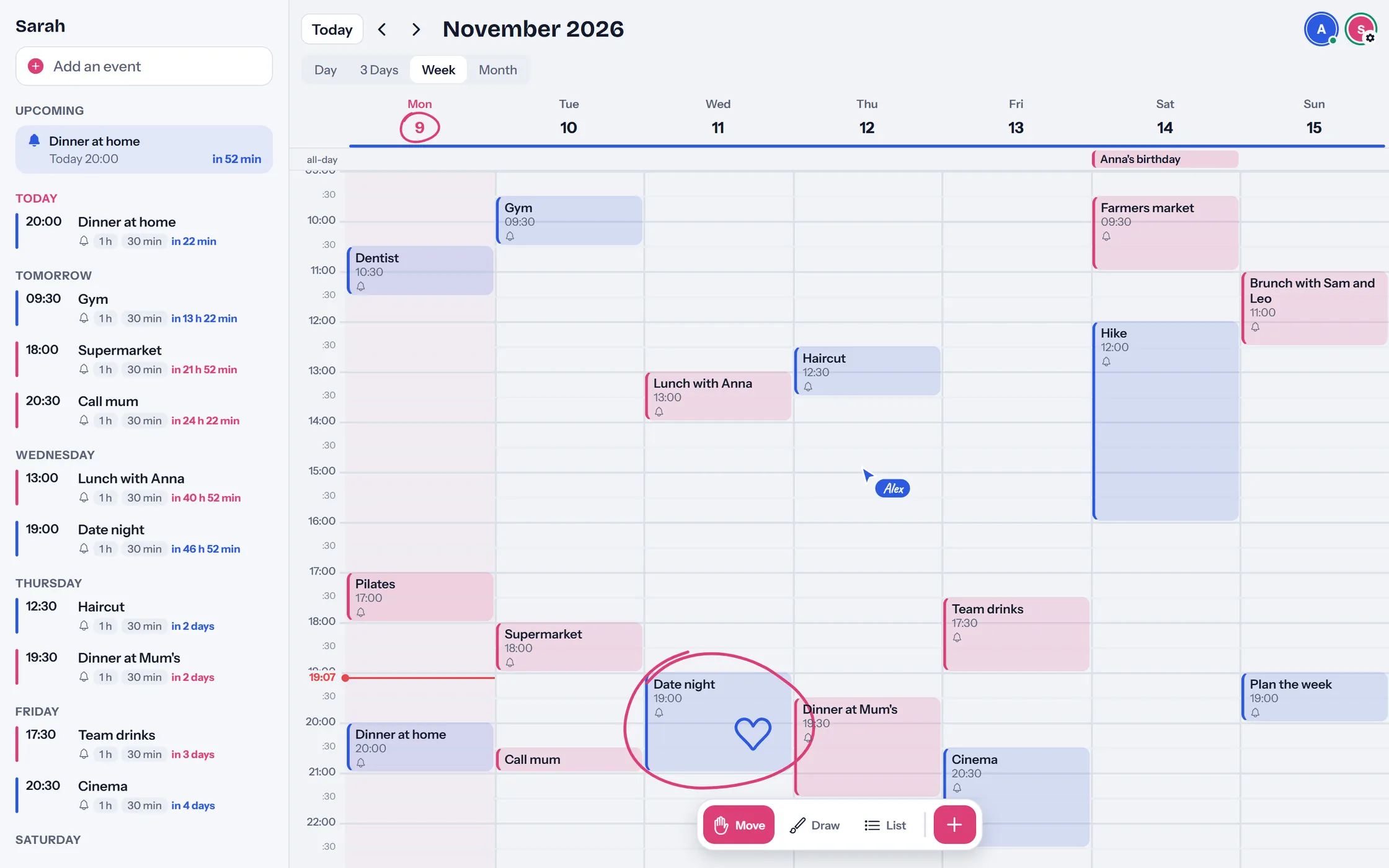
The week in Jundo on a computer: Sarah’s plans in pink, Alex’s in blue, Alex’s pointer on Thursday afternoon, and a circle with a heart around date night.
Sarah’s week on a computer, with Alex’s pointer on Thursday.
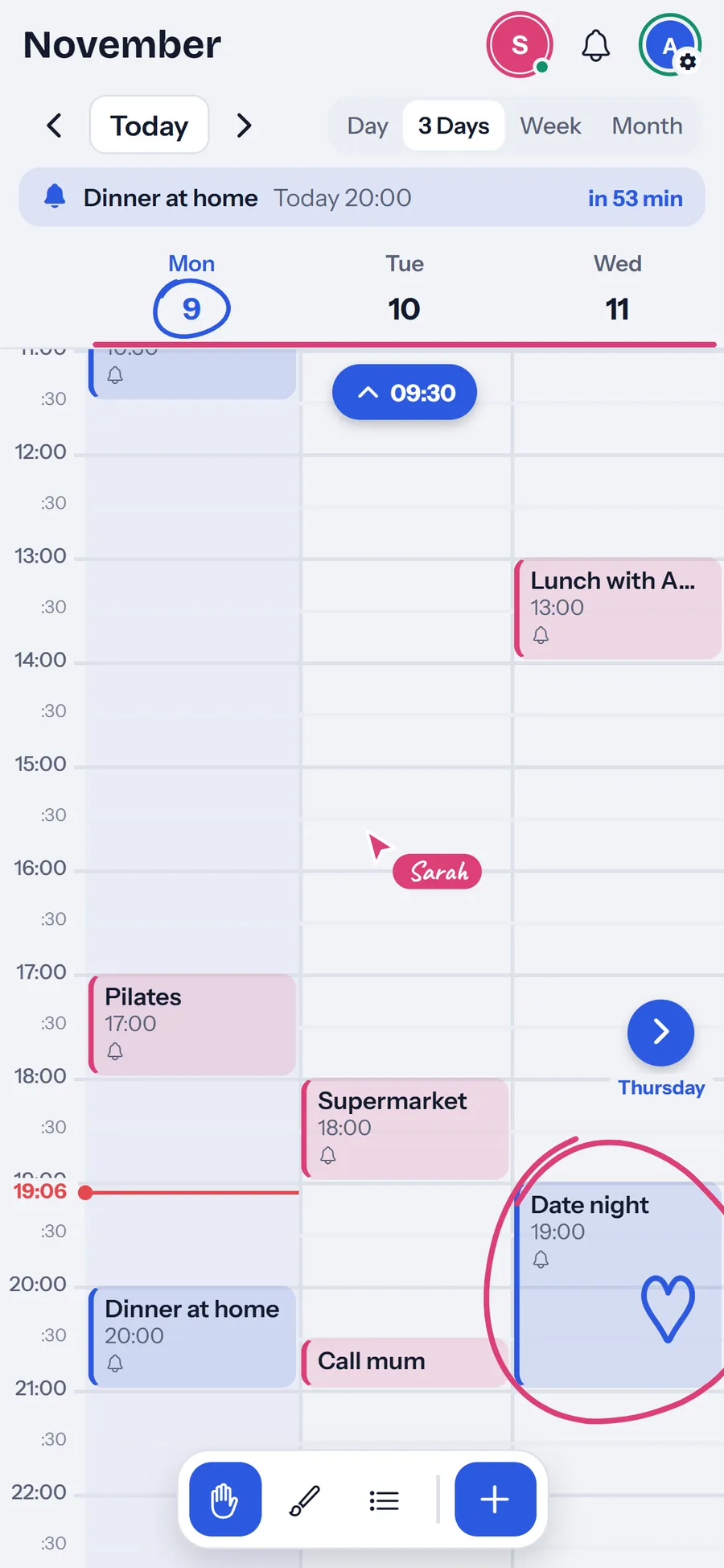
  • Three days on Alex’s phone, with Sarah’s pointer on Tuesday, her circle around date night and Alex’s heart inside it.
    Sarah’s pointer, live on Alex’s phone
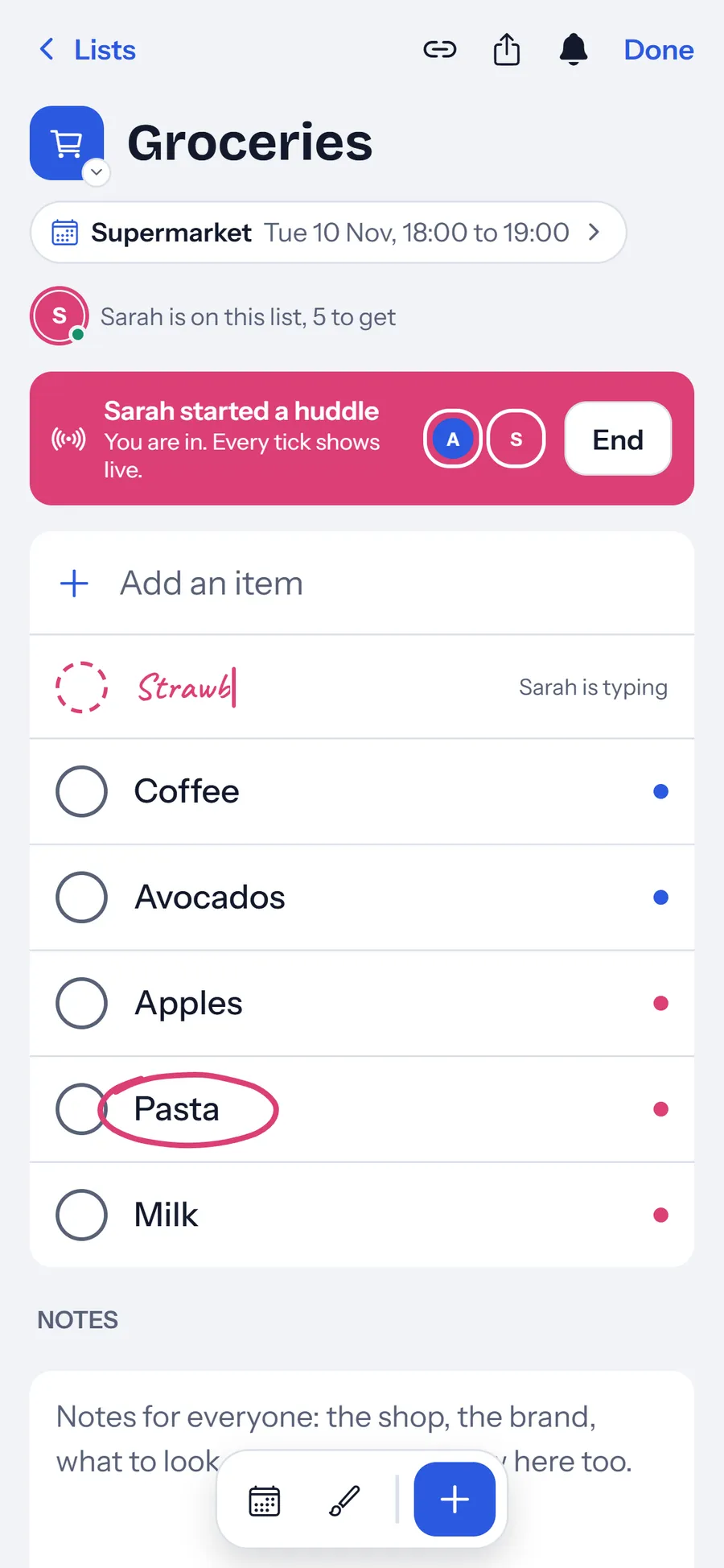
  • The Groceries list during a huddle, with Sarah typing strawberries and a circle drawn around pasta.
    A huddle at the shop
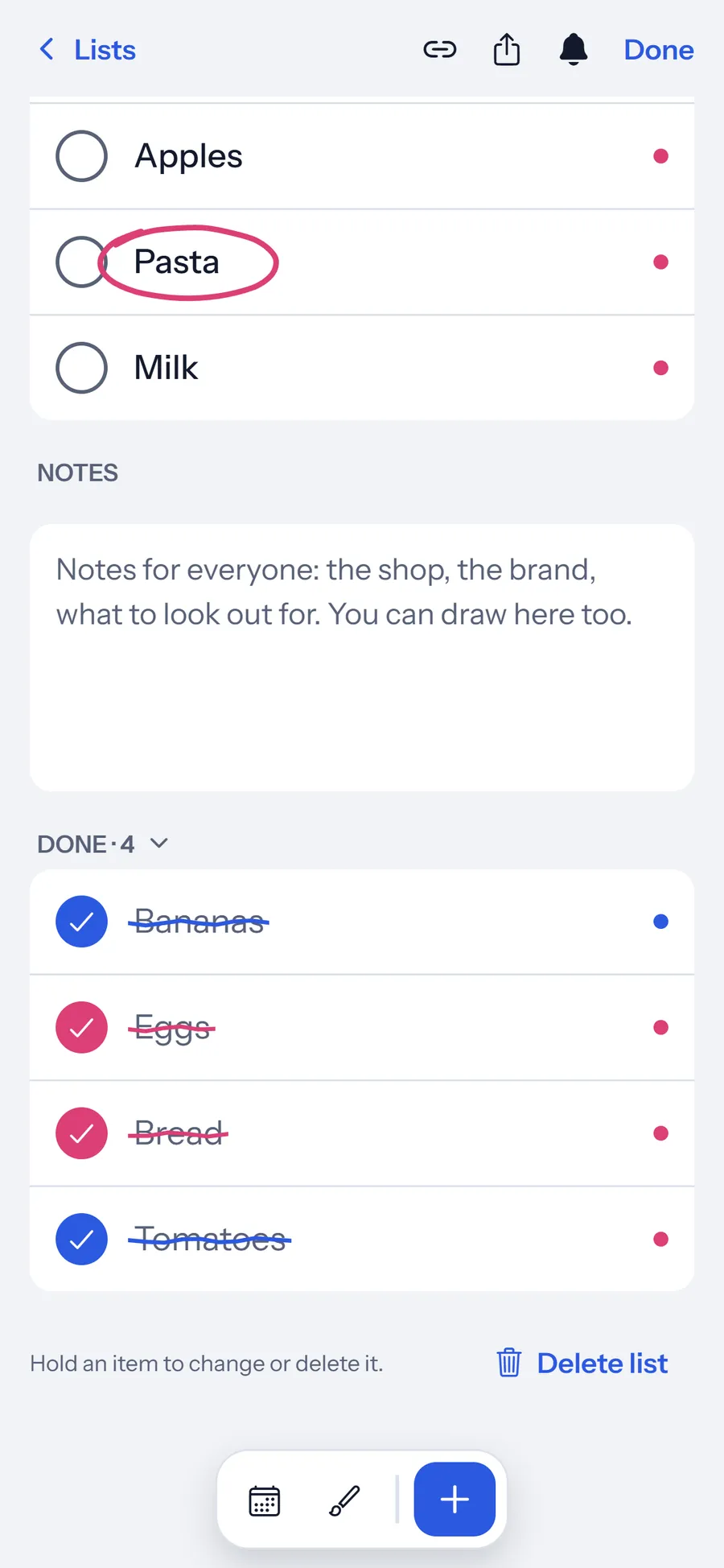
  • The done part of the Groceries list, with pencil lines in pink and blue through the ticked items.
    A pencil line in each colour
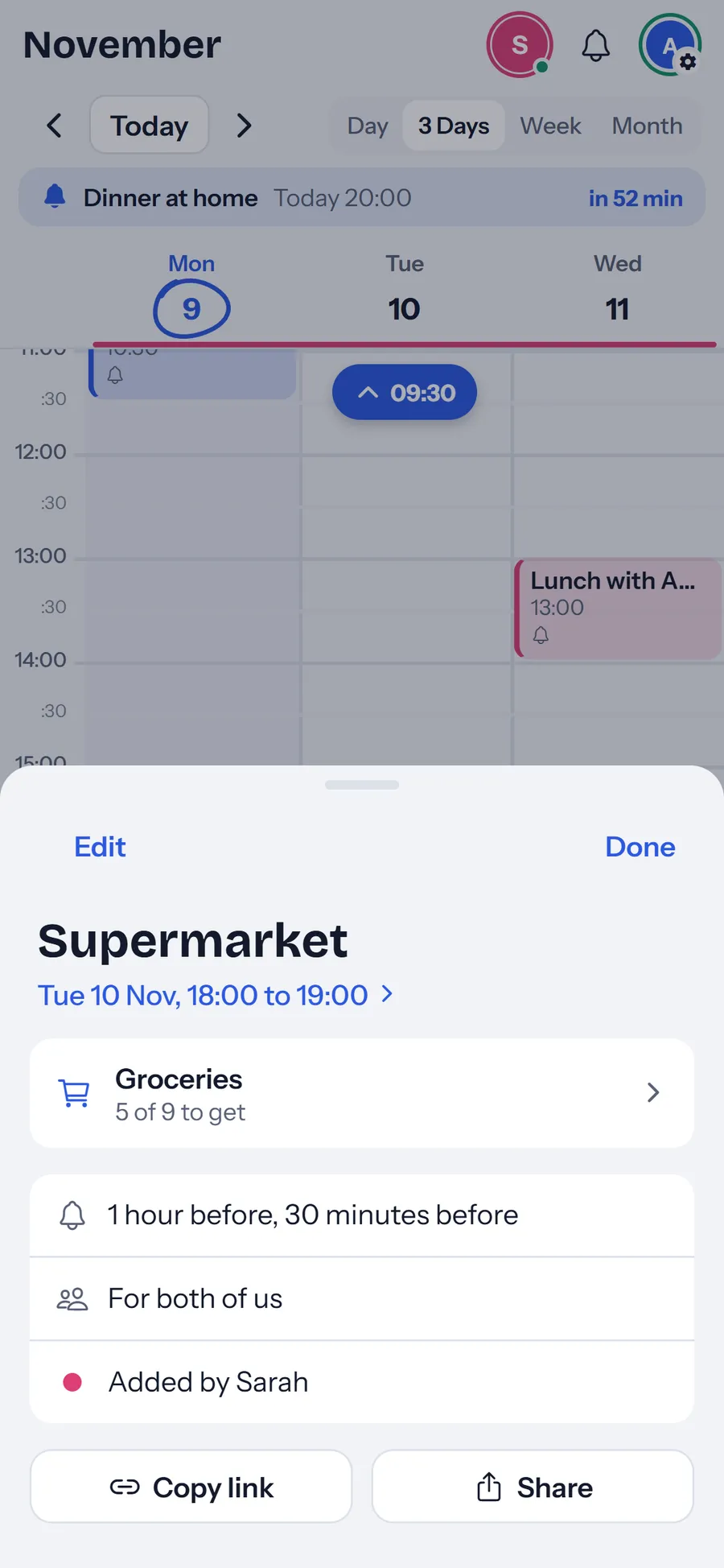
  • The supermarket run on Tuesday, linked to the Groceries list, with its reminders, Copy link and Share.
    A plan with its list

Calm by design

Close, not watched.

Seeing each other plan should feel like sitting together, never like being checked on.

  • Only while you are in it

    Your partner sees your pointer only while you have Jundo open.

  • No location

    Jundo never asks where you are.

  • No streaks, no scores

    Nothing to keep up with between the two of you.

  • Equal by design

    Both of you get everything. There is no owner and no guest.

Plans

Free during the beta.

Everything in Jundo is free while we build it. Plans come with the App Store launch.

Now

Beta

Free

  • Everything in Jundo, for everyone in your calendar
  • In your browser, on a phone or a computer
  • Up to six people in one calendar
Open Jundo

Next

App Store launch

Plans to come

The beta stays free until then.

iPhone appComing soon

Start in a minute.

  1. Open JundoWrite your name and pick your colour.
  2. Share the codeSend your partner the six-character code.
  3. Plan togetherSee each other in the week, live.
Open Jundo in your browser

iPhone appComing soon

We built Jundo for the two of us. Now it is yours too.